Claude Cowork for Everyone: Smarter Files, Faster Tasks, Less Busywork
About the Course:
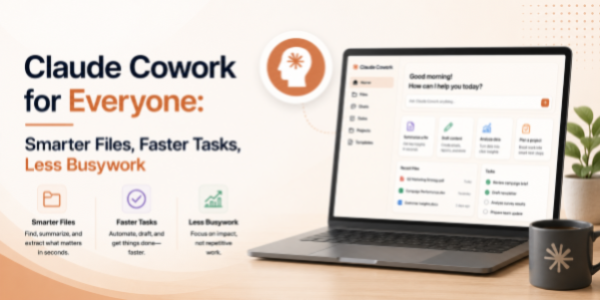
This 90-minute professional course offers a structured, beginner-friendly introduction to Claude Cowork, Anthropic's desktop AI tool that helps non-developers automate file management, document workflows, and recurring desktop tasks. Participants will gain practical, working knowledge of how to set up Cowork, give it clear instructions, and use it to organise files, work across documents, and automate everyday desktop workflows that traditionally consume hours each week. The session is anchored in real workplace scenarios, file organisation, downloads cleanup, document review, content gathering, repetitive admin tasks, and small recurring workflows. Learners will leave with a clear mental model of when to use Cowork, how to prompt it effectively, and how to integrate it into their existing work rhythm, without needing to write a single line of code.
Why This Course?
AI is rapidly shifting from the browser into the operating system itself, opening a new productivity layer for everyday professionals, not just developers. However, the average user is unsure how to begin: which tasks to delegate, how to phrase instructions, and how to verify the output. As a result, even powerful tools like Claude Cowork sit underused, while professionals continue spending hours on tasks an AI co-worker could finish in minutes. This course closes that gap. It delivers a focused, practitioner-led walkthrough that converts unfamiliar AI capabilities into clear, repeatable habits, using the exact files, folders, and workflows learners already work with on their personal or work desktop.
Why Now?
AI literacy is fast becoming a baseline expectation across the modern workplace, comparable to how email, internet, and spreadsheet fluency became standard in earlier decades. Tools like Claude Cowork sit at the leading edge of this shift, bringing AI directly to the desktop and empowering everyday professionals to automate work that historically required scripts, IT support, or extensive training. Acting now offers a clear first-mover advantage: establish AI fluency early, position yourself as a forward-thinking professional within your team, and stay ahead of the steep learning curve that will inevitably arrive when desktop AI co-workers become the new normal.
Course Objectives:
Upon successful completion of this course, participants will be able to:
- Install, configure, and confidently navigate Claude Cowork on a personal or work desktop environment.
- Apply Cowork to organise files and folders, perform bulk operations, and clean up downloads or messy directories.
- Use Cowork to read, summarise, extract from, and reorganise content across multiple documents.
- Automate recurring desktop workflows, filing, tagging, moving, formatting, and routine admin, without writing code.
- Apply prompt-engineering best practices to ensure accuracy, consistency, and trust in Cowork's outputs.
- Identify suitable tasks for AI delegation and design lightweight, repeatable workflows for ongoing use.
Who is the Target Audience?
- Working professionals across functions, finance, sales, marketing, HR, operations, consulting, and more.
- Knowledge workers and individual contributors who handle files, folders, and documents on a daily basis.
- Managers and team leads are seeking to free their teams from low-value desktop chores.
- Independent professionals, entrepreneurs, and creators looking for an AI assistant directly on their laptop.
- Learning & Development teams are evaluating AI desktop tools for organisation-wide upskilling.
Basic Knowledge:
- Functional comfort using a personal or work computer (Windows or Mac).
- Basic file-management familiarity, folders, files, downloads, and common document formats.
- A laptop where Claude Cowork can be installed is strongly recommended for hands-on practice.
- No prior experience with artificial intelligence, machine learning, or programming is required.
Introduction to Desktop AI & Claude Cowork
- The rise of AI desktop assistants
- What Claude Cowork can and cannot do
- How Cowork interacts with files, folders, and documents
- Common workplace use cases:
- File organisation.
- Downloads cleanup.
- Document summarisation.
- Repetitive admin work.
- Workflow automation.
- Understanding AI strengths, limitations, and human oversight
File & Folder Organisation with Cowork
- Bulk file organisation
- Sorting files by:
- Type.
- Date.
- Project.
- Client.
- Renaming and restructuring files
- Cleaning downloads folders
- Archiving old files
- Creating repeatable folder-management workflows
Working Across Documents with AI
- Reading multiple files simultaneously
- Summarising reports and documents
- Extracting action items and key points
- Comparing document versions
- Combining information across files
- Creating consolidated summaries
Automating Repetitive Desktop Tasks
- Task automation fundamentals
- File moving and tagging workflows
- Formatting and categorisation tasks
- Batch processing workflows
- Recurring administrative task automation
- Building lightweight repeatable routines
Prompting Best Practices for Desktop AI
- Anatomy of a good desktop AI prompt
- Defining task context and constraints
- Prompt refinement strategies
- Preventing ambiguous instructions
- Verifying AI-generated actions before execution
- Building reusable prompt templates
Designing Lightweight AI Workflows
- Recognising repetitive desktop tasks
- Mapping workflows suitable for AI delegation
- Creating simple productivity systems with Cowork
- Human review and approval checkpoints
- Balancing automation with oversight
- Scaling personal productivity habits
Responsible AI Usage & Workflow Governance
- Reviewing AI-generated actions before execution
- Handling confidential files responsibly
- Avoiding accidental file movement or deletion
- Maintaining organisational file standards
- Understanding AI limitations and supervision responsibilities
Final Recap & Q&A
- Install and use Claude Cowork confidently
- Organise files and folders using AI assistance
- Extract and summarise information across documents
- Automate repetitive desktop workflows without coding
- Design repeatable AI-assisted productivity routines
- Apply prompt-engineering principles effectively