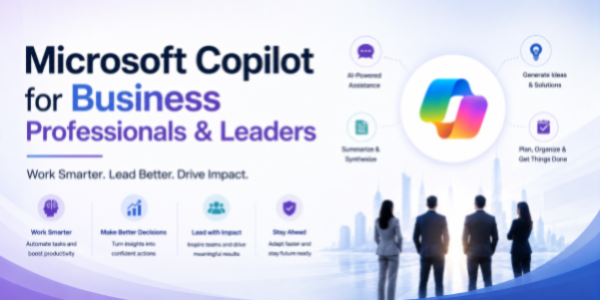
Microsoft Copilot for Business Professionals & Leaders: Work
About the Course:
This 90-minute professional course offers a structured, role-relevant introduction to Microsoft Copilot across the M365 suite for both individual contributors and business leaders. Participants will gain practical, working knowledge of how Copilot operates within Excel, Word, PowerPoint, Teams, and Outlook, along with a foundational understanding of how to design and deploy custom Copilot agents using Microsoft 365 Copilot Studio. The session is anchored in real business scenarios, reporting and reviews, proposals and memos, leadership decks, executive meetings, cross-functional communication, and recurring business operations. Learners will leave with a clear mental model of when to use Copilot, how to prompt it effectively, and how to integrate it into their daily working rhythm, improving individual productivity for users and enabling stronger team-wide outcomes for leaders.
Why This Course?
Business teams across every function rely on the same five productivity surfaces: data, documents, decks, meetings, and email, and Microsoft Copilot delivers measurable impact across all five. However, organisations rolling out Copilot consistently report a sharp gap between licence adoption and actual usage. Most professionals are unsure how to apply Copilot to their specific workflows, what prompts to use, or how to embed it into the way their teams already operate. This course closes that gap. It delivers a focused, business-led walkthrough that translates AI capabilities into clear, repeatable habits, useful for everyday execution by users and equally relevant for leaders driving outcomes through their teams.
Why Now?
AI literacy is fast becoming a baseline expectation across the modern workplace, comparable to how spreadsheet, presentation, and email fluency became standard in earlier decades. Enterprises are investing heavily in Copilot licences, and senior leaders are increasingly expecting their organisations to compress execution cycles, automate manual workflows, raise the quality of decisions, and free up bandwidth for higher-value work. Acting now offers a clear first-mover advantage: individual contributors establish AI fluency early and stand out in their roles, while leaders position their teams ahead of the broader productivity curve and avoid the steep learning gap that will soon become a baseline expectation.
Course Objectives:
Upon successful completion of this course, participants will be able to:
- Apply Copilot in Excel to analyse business data, build reports, and generate insights through natural-language prompts.
- Use Copilot in Word to draft and refine proposals, memos, SOPs, management commentary, and leadership communication.
- Construct business-ready PowerPoint decks, review presentations, leadership updates, and town halls, from outlines, Word documents, or short prompts.
- Leverage Copilot in Teams to summarise business meetings and reviews, capture decisions, and track action items across stakeholders.
- Manage business email volume in Outlook through Copilot-powered drafting, summarisation, and prioritisation across internal and external stakeholders.
- Design and configure a basic custom Copilot agent in Microsoft 365 Copilot Studio for a defined recurring business workflow.
Who is the Target Audience?
- Business users and individual contributors across operations, projects, strategy, business analysis, and program management.
- Managers, team leads, and business unit owners are responsible for reporting, reviews, and decision-making.
- Business heads, function heads, and senior leaders are driving outcomes through cross-functional teams.
- CXOs, founders, and entrepreneurs are embedding AI into their organisation's operating rhythm.
- L&D, transformation, and digital adoption teams are evaluating Copilot upskilling content for the wider organisation.
Basic Knowledge:
- Functional understanding of standard business workflows (reporting, reviews, proposals, meetings, communication).
- Working familiarity with the Microsoft 365 suite (Excel, Word, PowerPoint, Teams, Outlook).
- Active access to a Microsoft 365 account with a Copilot licence is strongly recommended for hands-on practice.
- No prior experience with artificial intelligence, machine learning, or programming is required.
- The evolution of AI-assisted work
- How Copilot works across:
- Excel.
- Word.
- PowerPoint.
- Teams.
- Outlook.
- Copilot Studio.
- High-impact business use cases:
- Reporting and reviews.
- Proposal and memo creation.
- Leadership communication.
- Meeting management.
- Executive updates Workflow automation
- Understanding AI strengths, limitations, and human oversight
Copilot in Excel for Business Reporting & Insights
- AI-assisted data analysis
- Trend identification and insight generation
- Creating summaries, dashboards, and pivot reports
- Forecasting and KPI tracking
- Automating repetitive spreadsheet tasks
- Turning raw data into leadership-ready insights
Copilot in Word for Proposals, SOPs & Leadership Communication
- Drafting proposals and business memos
- Creating SOPs and process documentation
- Writing leadership updates and executive summaries
- Refining tone, structure, and readability
- Summarising lengthy business documents
Copilot in PowerPoint for Leadership & Business Presentations
- Creating presentations from prompts or Word documents
- Structuring leadership updates
- Designing concise and executive-friendly slides
- Transforming data into visual storytelling
- Improving presentation clarity and flow
Copilot in Teams & Outlook for Collaboration & Communication
- Meeting summarisation
- Capturing decisions and action items
- Tracking stakeholder follow-ups
- Reviewing discussions quickly
Introduction to Microsoft 365 Copilot Studio for Business Automation
- What is Microsoft 365 Copilot Studio?
- Understanding custom Copilot agents
- Workflow automation opportunities
- Creating role-specific AI assistants
- Connecting prompts, documents, and business processes
- Governance and adoption considerations
Best Practices, Governance & Responsible AI Adoption
- Validating AI-generated outputs
- Maintaining confidentiality and compliance
- Avoiding inaccurate or misleading content
- Prompt consistency techniques
- Human review and decision-making responsibilities
- Driving successful team-wide AI adoption