Microsoft Copilot for Sales Professionals: Sell Smarter, Close Faster
About the Course:
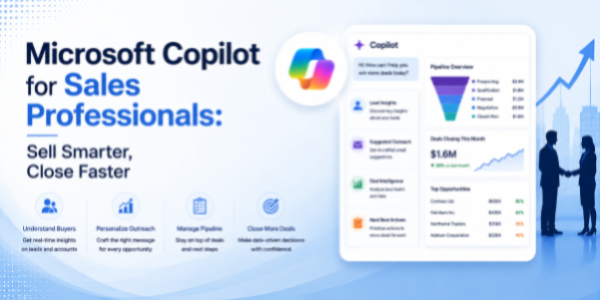
This 90-minute professional course offers sales teams a structured, role-relevant introduction to Microsoft Copilot across the M365 suite. Participants will gain practical, working knowledge of how Copilot operates within Excel, Word, PowerPoint, Teams, and Outlook, along with a foundational understanding of how to design and deploy custom Copilot agents using Microsoft 365 Copilot Studio. The session is anchored in real selling scenarios, pipeline reviews, account planning, proposal writing, customer presentations, sales meetings, prospect outreach, and follow-up cadences. Learners will leave with a clear mental model of when to use Copilot, how to prompt it effectively for sales use cases, and how to integrate it into their daily selling motion to recover hours each week and improve win rates.
Why This Course?
Sales is one of the highest-leverage functions for AI productivity gains, yet most sellers continue to spend the majority of their time on non-selling activities, administrative work, proposal writing, deck preparation, and inbox management. Organisations rolling out Copilot to sales teams consistently report a sharp gap between licence adoption and actual usage. Most sellers are unsure how to apply Copilot to their specific deals, what prompts to use, or where it fits inside their selling rhythm. This course closes that gap. It delivers a focused, sales-led walkthrough that translates AI capabilities into clear, repeatable habits across the exact tools and workflows sellers already use every day.
Why Now?
AI literacy is fast becoming a baseline expectation for modern sales professionals, comparable to how CRM and forecasting fluency became standard a decade ago. Enterprises are investing heavily in Copilot licences, and sales leaders are increasingly expecting their teams to drive higher outreach volume, faster proposal turnarounds, sharper account insights, and stronger win rates without expanding headcount. Acting now offers a clear first-mover advantage: establish AI fluency in the most performance-driven function in the organisation, position yourself as a top-quartile seller, and stay ahead of the steep learning curve that will soon become a baseline hiring expectation.
Course Objectives:
Upon successful completion of this course, participants will be able to:
- Apply Copilot in Excel to analyse pipeline data, build forecasts, and identify deal risks and revenue opportunities through natural-language prompts.
- Use Copilot in Word to draft and refine account plans, proposals, RFP responses, battlecards, and customer communications.
- Construct sales-ready PowerPoint decks, pitch decks, QBRs, and customer presentations from outlines, Word documents, or short prompts.
- Leverage Copilot in Teams to summarise sales calls and customer meetings, capture commitments, and track follow-ups across the deal cycle.
- Manage prospect and customer email volume in Outlook through Copilot-powered drafting, summarisation, and prioritisation.
- Design and configure a basic custom Copilot agent in Microsoft 365 Copilot Studio for a defined sales workflow, such as prospecting or follow-ups.
Who is the Target Audience?
- B2B and B2C sales professionals, Account Executives, BDRs, SDRs, and Account Managers.
- Sales managers and team leads are responsible for pipeline, forecasting, and quota attainment.
- Key Account Managers, Customer Success Managers, and pre-sales / solution consultants.
- Inside sales, field sales, channel sales, and partner sales teams operating on the M365 stack.
- Sales leaders, RevOps, and sales enablement teams are evaluating AI upskilling for their organisations.
Basic Knowledge:
- Functional understanding of core sales workflows (prospecting, pipeline management, proposals, follow-ups, QBRs).
- Working familiarity with the Microsoft 365 suite (Excel, Word, PowerPoint, Teams, Outlook).
- Active access to a Microsoft 365 account with a Copilot licence is strongly recommended for hands-on practice.
- No prior experience with artificial intelligence, machine learning, or programming is required.
Introduction to AI in Modern Sales
- The evolution of AI-assisted selling
- How Copilot works across:
- Excel.
- Word.
- PowerPoint.
- Teams.
- Outlook.
- Copilot Studio
- High-impact sales use cases:
- Pipeline reviews.
- Prospecting.
- Proposal generation.
- QBR preparation.
- Sales forecasting.
- Follow-up automation
- Understanding AI strengths, limitations, and human oversight
Copilot in Excel for Pipeline Analysis & Forecasting
- AI-assisted pipeline analysis
- Forecast generation and trend analysis
- Identifying stalled or at-risk deals
- Revenue opportunity analysis
- Building pivot summaries and dashboards
- Automating recurring reporting tasks
Copilot in Word for Proposals, Account Plans & Sales Content
- Drafting proposals and RFP responses
- Creating account plans and customer summaries
- Building competitive battlecards
- Refining tone and messaging
- Generating executive-ready customer communication
Copilot in PowerPoint for Pitch Decks & Customer Presentations
- Creating pitch decks from prompts or Word documents
- Building QBR presentations
- Structuring executive customer presentations
- Transforming sales insights into visual narratives
- Designing concise and persuasive slide flows
Copilot in Teams & Outlook for Sales Communication & Follow-Ups
- Copilot in Teams:
- Sales meeting summarisation.
- Capturing commitments and objections.
- Tracking follow-up actions.
- Reviewing customer conversations quickly.
- Copilot in Outlook:
- Drafting outreach emails.
- Summarising long customer threads.
- Prioritising important prospect communication.
- Personalising follow-up responses.
Introduction to Microsoft 365 Copilot Studio for Sales Workflows
- What is Microsoft 365 Copilot Studio?
- Understanding custom Copilot agents
- Sales automation opportunities
- Creating workflow-specific assistants
- Connecting prompts, knowledge sources, and business logic
- Governance and adoption considerations
Best Practices, Governance & Responsible AI in Sales
- Validating AI-generated content
- Maintaining customer confidentiality
- Avoiding inaccurate or misleading outputs
- Prompt consistency techniques
- Human review and approval practices
- Creating repeatable AI-assisted selling workflows